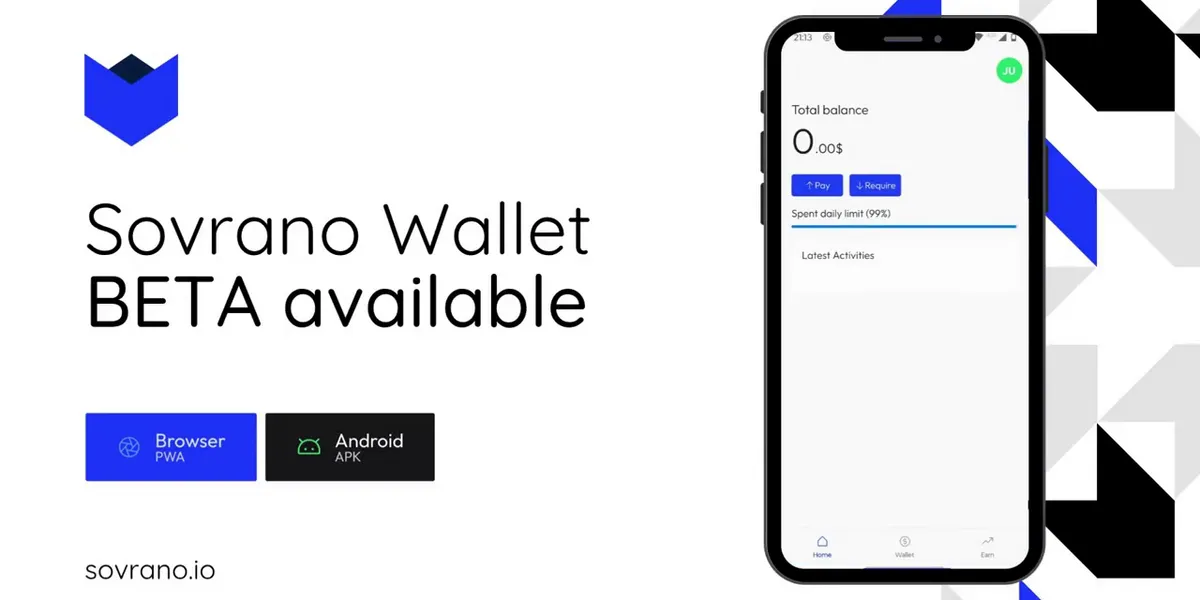
Self-custody is presented as freedom, and it is, but the fine print is that you become your own bank’s entire security department. Write down twelve words. Store them somewhere a fire won’t reach and a guest won’t find. Never type them into anything. Lose them and your money is gone, with no one to appeal to.
Then, before you can do anything at all, install a browser extension, and acquire some of the network’s token to pay fees with — using, presumably, the wallet you don’t have yet.
I built Sovrano to find out how much of that could simply be deleted.
What Sovrano is: a wallet you open with a fingerprint
Sovrano is a self-custody wallet on Koinos, a blockchain with no transaction fees. It’s built on Veive, a modular smart-account protocol I’d written for the same chain, where an account isn’t a key pair but a contract, and its behaviour — how a signature is checked, what an operation is allowed to do — comes from modules installed into it.
That’s the load-bearing choice. If the account is a contract that decides for itself what counts as a valid signature, then “sign in with your fingerprint” isn’t a convenience layer bolted onto a key. It’s the account’s actual authentication rule, enforced on chain.
And because the account lives on the chain rather than on a device, it isn’t tied to any platform. Sovrano runs as a PWA in any browser — desktop or mobile, on any operating system — and as a native Android app. There’s no key file to move from one device to another: you register a passkey on each device you want to use, and each one reaches the same account.
So sign-up looks like this:
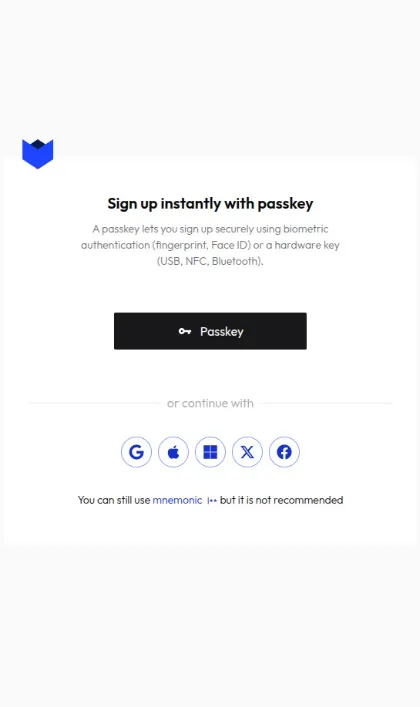 Sign-up. Note the last line: the seed phrase survives as a discouraged fallback, not the default.
A passkey, an account you already have, or — if you insist — twelve words. Inverting that default was the entire point. No extension to install, no tokens to acquire before you start, and nothing to write on paper.
Signing up with an account you already have: pick a nickname, authorize with X, done.
Passkeys, and hardware keys
Passkeys were the straightforward half: WebAuthn produces a signature, the account contract verifies it, done.
What I like most about that approach is what it opens up as a consequence. A passkey doesn’t have to live in a phone: WebAuthn also talks to FIDO2 security keys — a YubiKey, a SoloKey, or any cheap USB key. Plug it in, enter the PIN, touch it to confirm, and you have the security of a hardware wallet without buying one: the keys never leave the device, physical presence is required to approve a transaction, and there’s no seed phrase in existence to be stolen or intercepted.
Signing in with a hardware passkey: the PIN, then a physical touch on the key.
Making “sign in with Discord” into a signature
Social login was the awkward half. OpenID Connect providers issue a signed ID token, and a contract can verify that token’s signature and read its claims — that part works. But plenty of the accounts people actually have aren’t OpenID providers. X, Discord and Telegram authenticate you perfectly well and then hand you something that is not an ID token.
So I wrote an identity broker: a small Passport service that speaks each provider’s own dialect — OAuth for Google, whatever Discord and X and Telegram want — normalizes the result into a subject like google|1234, and mints an RS256-signed ID token of its own, published with a JWK so anything can verify it. Downstream, every provider looks identical: one token shape, one signature algorithm, one public key. The on-chain module doesn’t need to know which one you used.
Google, Apple, Microsoft, X, Facebook: whichever one you picked, the broker is what makes the result verifiable on chain.

Downstream of the broker every provider looks identical, which is what the contract needs. The cost is that the broker signs those tokens, so it can mint an identity for anyone.
I want to be straight about the cost of that. The broker signs those tokens, so the broker is a trusted issuer, and whoever holds its private key can mint an identity for anyone. In a wallet whose whole premise is self-custody, that’s a real centralization point sitting next to the front door. The honest framing is that it was a deliberate trade — reach now, decentralize the issuer later — and “later” is doing a lot of work in that sentence.
What you install into the account
Removing the barriers to entry was half the work. The other half is what that account can do once you have it — and this is where building on modular smart accounts stops being an architectural detail and becomes the product.
Because the account is a contract and its behaviour comes from installed modules, the wallet isn’t a fixed set of features: it’s a container you add rules to. Some of those modules are what the wallet itself stands on: signature validation, the authentication modules for passkeys and OpenID, and allowance — the pre-authorization that records exactly the approved operation and consumes it on use, so an application never holds a broader permission than the one you gave it.
Then there’s multisig, and that’s where a personal wallet becomes something else. The same account can be managed by several people, with transactions requiring signatures from a configurable number of authorized members: a business treasury, a DAO, an investment group. And the same mechanism, applied to the module install and uninstall scopes, becomes recovery: you appoint trusted guardians, register several devices and several social accounts, and if you lose access to one of them the others can authorize replacing it. Account recovery without a seed phrase existing to be recovered.
Beyond those, the same module structure makes writable things a wallet normally can’t offer, because they don’t live in the wallet — they live in the account: a piggybank that sets aside a percentage of every payment, a daily or weekly spending limit, parental control over a child’s account, a subscription guard that catches recurring payments. I didn’t write those — they’re the use cases I documented as a demonstration of what the system allows, and they remain the most interesting part of what there was still to build.
Two parts: the wallet and the payment gateway
It’s worth being clear about the structure here, because Sovrano isn’t one product but two. There’s the wallet, and there’s the payment gateway.
The gateway runs in the browser, and it works the way PayPal or a hosted checkout page works: an application doesn’t embed the wallet and doesn’t ask it for keys, it sends the user to the gateway and gets a result back. If a wallet isn’t a browser extension, applications need some other way to reach it — and the answer is the pattern the web settled twenty years ago: redirects.
A client-side SDK handles it, with three moves. Signup sends a new user off to create an account and returns with their address and nickname. Connector is log-in: the application gets back who it’s now talking to. Authorizer hands over an unsigned transaction, the user reviews and approves it on Sovrano, and it comes back signed, ready to broadcast. Each of the three produces a URL to send the user to, and knows how to read the response when they come back. Anyone who has integrated OAuth recognises every step, which was exactly the goal.
The part that satisfies me most is that the Sovrano Wallet app uses that same SDK. There’s no privileged channel reserved for the official wallet: the wallet is a client of the gateway like any other application, going through the same public interface a third party would use.
Under the hood, an approved action is two operations in one transaction: a pre-authorization that records exactly what was approved — contract, method, arguments — and the execution, which only goes through if it matches. Approve once, spend once.
Telling the user what they’re signing
There’s a problem inside that authorization step, and it isn’t cryptographic. A blockchain operation is a contract address, an entry point, and a blob of encoded arguments. Asking someone to approve that is not consent, it’s a formality with extra steps — the “Requested operations” screen in those demos has to say something true and comprehensible, or there’s no point showing it at all.
So the wallet backend carries a resolver per operation type it understands. The transfer resolver pulls the token’s metadata, formats the amount with the right decimals, and resolves the sender and recipient nicknames, so the screen can say “5 KOIN to @someone” instead of rendering base58. Others cover installing and uninstalling modules, registering and revoking a passkey, registering and revoking an OpenID identity, and specific actions from the applications built on it.
And then there’s the default resolver, for operations nothing recognises. That fallback is the honest bit: a wallet cannot decode a contract it has never heard of, and the right response is to say so plainly rather than dress an unknown call up in reassuring language.
The rest of the app follows from having nicknames: pay @someone, request money from @someone, a list of activity, somewhere to put idle funds. Ordinary shapes, which was the ambition.
Paying @adrianofoschi: search the nickname, and the same “Requested operations” screen resolves it before you sign.
What holds
What I’d defend is the premise. Every barrier I set out to remove came off: account creation is a fingerprint or an account you already have, transactions cost nothing, there’s no extension to install, and the seed phrase is a fallback you have to go looking for. None of that required weakening self-custody, because the account itself is programmable enough to hold the rules. Nobody else holds the keys: the user’s own device does, and what can happen with them is decided by a contract that belongs to them.